Change log and change policy
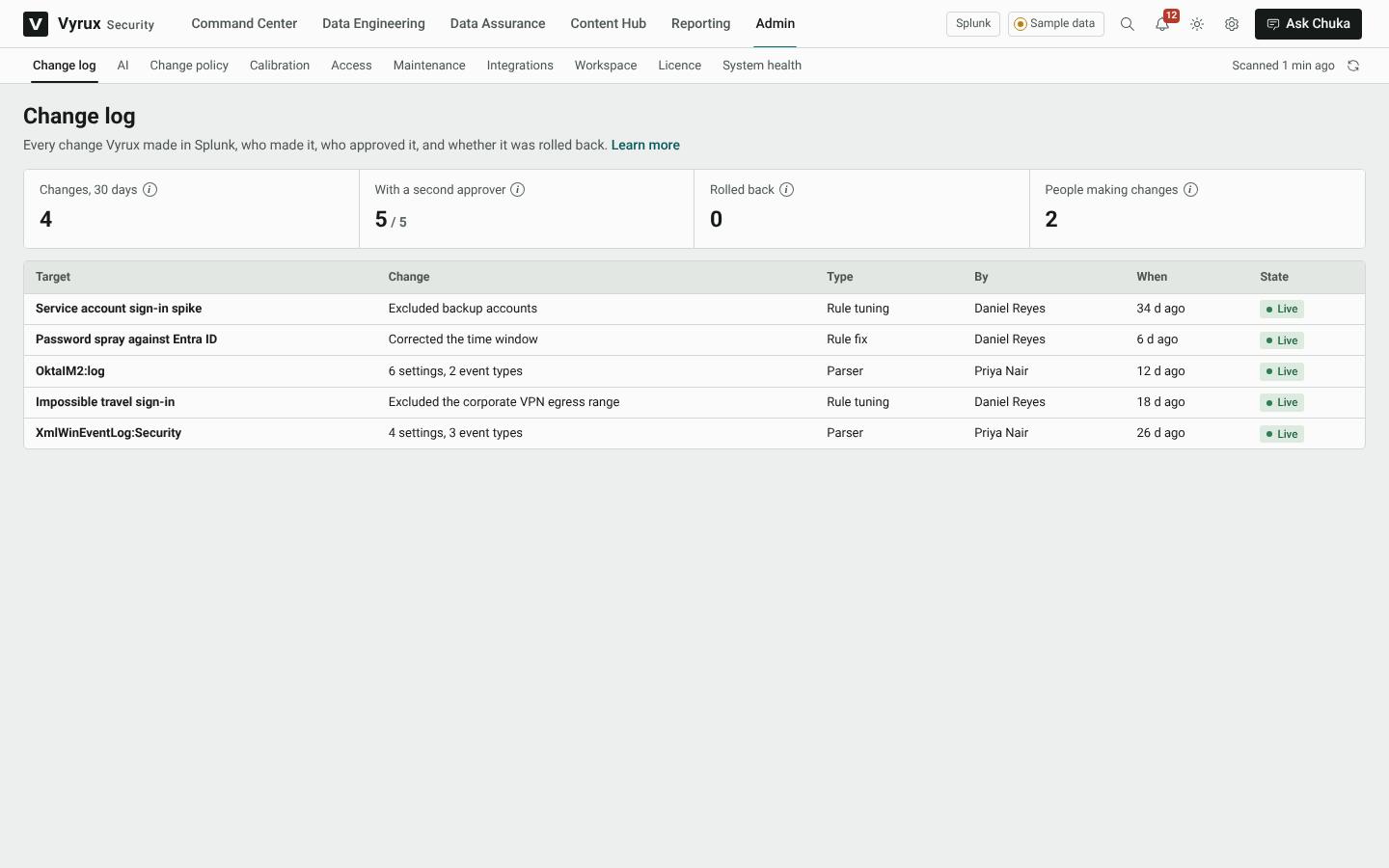
The Change log lists every change Vyrux made in Splunk, who made it, who approved it, and whether it was rolled back. Open a change and click Roll back to undo it. Vyrux refuses a roll back if someone edited the rule in Splunk afterwards, so their edit is never lost.
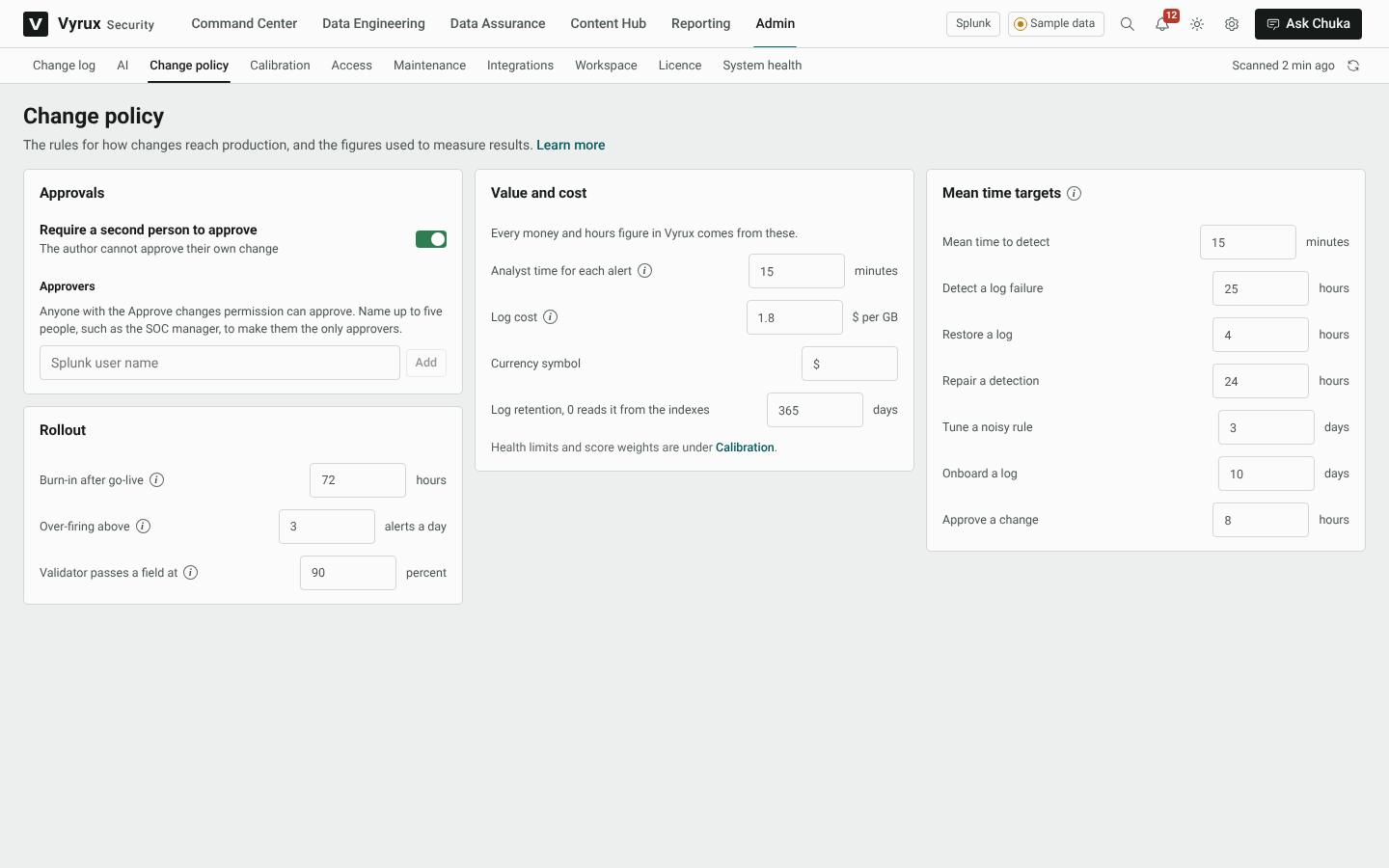
Change policy sets how changes reach production: whether a second person must approve, who the approvers are, the burn-in time after go-live, the over-firing limit, and the figures behind every money and hours number.
Second approver and named approvers
Turn on Require a second person to approve and every change waits for approval: rule fixes, tuning, parsers, schedule changes and suppressing an issue. Nobody approves their own change.
Under Approvers, name up to five people, such as the SOC manager and deputies. Only they can then approve, and any one of them is enough. With no names, anyone with the Approve changes permission can approve. The Vyrux service on your Splunk server checks this too, so it cannot be worked around from the browser.